OpenBSD on the Sharp Zaurus SL-C3100
Hello!
Background
I recently got a Sharp Zaurus SL-C3100 from Japan. I got it untested, but it works fine. Here are the specs:
- Intel Xscale PXA270 416 MHz
- 64 MB RAM
- 128 MB flash ROM
- 4GB Microdrive
- 3.7" 640x480 TFT display
- CF + SD card slots
- Mini-USB port
Not the most powerful specs, even for a PDA at the time (2005). There's no built-in networking or Bluetooth (weird), but CF WiFi cards work. iPaqs at the same time (and a year earlier) had the same processor clocked at 520 MHz and the high-end models had 128 MB RAM. The SL-C3000 series had more storage (thanks to the Microdrive) though.
Speaking of the Microdrive, the Zaurus Linux OS is stored in the 128 MB flash ROM, so even if you install a different OS to the Microdrive, the original Linux is still there. This allows the original Linux to act as a sort of bootloader for whatever we want to install. Also great for recovery.
Unfortunately, most programs for the Zaurus Linux have been lost. I've found a few archived, but not many. I looked into alternative operating systems and found a few options:
- Other Zaurus Linuxes
- OpenZaurus
- Angstrom
- pdaXrom
- Cacko
- Gentoo port
- Zubuntu
- Arch Linux
- NetBSD
- OpenBSD
Other Zaurus Linuxes have the same package issues. The Gentoo port is from 2007 and seems like it was never finished. I'm not sure if Zubuntu was finished; either way, it's from the late 2000s. Arch Linux ARM was ported in 2015, which I may try at some point. NetBSD is still being updated (of course, NetBSD runs on everything). OpenBSD dropped support after 6.0 (2016).
I wanted to replace the stock Zaurus Linux first. Normal Zaurus Linux didn't seem to come with a lot of utilities that I wanted, including a good terminal. Or any terminal... I couldn't find one built in. I ended up installing Cacko Zaurus Qtopia ROM 1.23, which came with Konsole and a bunch of other tools. My install has some weird issues with the screen turning off when on battery power, but it's not a huge issue.
Installing OpenBSD
I decided to try OpenBSD first, because I use OpenBSD on my laptop daily. Despite OpenBSD dropping support after 6.0, the last version with packages built was 5.6. I have experience installing OpenBSD on old hardware. A year ago, I got the most recent version of OpenBSD (7.6 at the time) running well on my iMac G4. I'll probably write a blog post about that soon.
Installing OpenBSD was easy. The instructions in INSTALL.zaurus are pretty straightforward. My 5.6 install was smooth. Installing sets took ~10-15 minutes. The Microdrive is really slow. I'll replace it with a CF card soon, which should be slightly faster (and more reliable).
Since there's no networking, I'd have to install the packages from a CF or SD card. I ended up using a 32 GB SanDisk Extreme CF card which worked fine. Most OpenBSD mirrors don't host old versions, but I found one that does: https://mirror.telepoint.bg/pub/OpenBSD/ has versions back to 2.0. I downloaded all of the packages using this command (~9 GB). Make sure you replace {version you want here}!
curl -s "https://mirror.telepoint.bg/pub/OpenBSD/{version you want here}/packages/arm/" \
 | grep -Eo 'href="[^"]+"' \
 | cut -d'"' -f2 \
 | while read f; do curl -O "https://mirror.telepoint.bg/pub/OpenBSD/{version you want here}/packages/arm/$f"; done
Once you get OpenBSD installed, mount your card (command was mount /dev/wd1i /mnt for me) and run export PKG_PATH=/mnt/{your package folder here}. Then you can easily run pkg_add {package you want here} to install packages. Here are some pictures of me running tmux on 5.6:
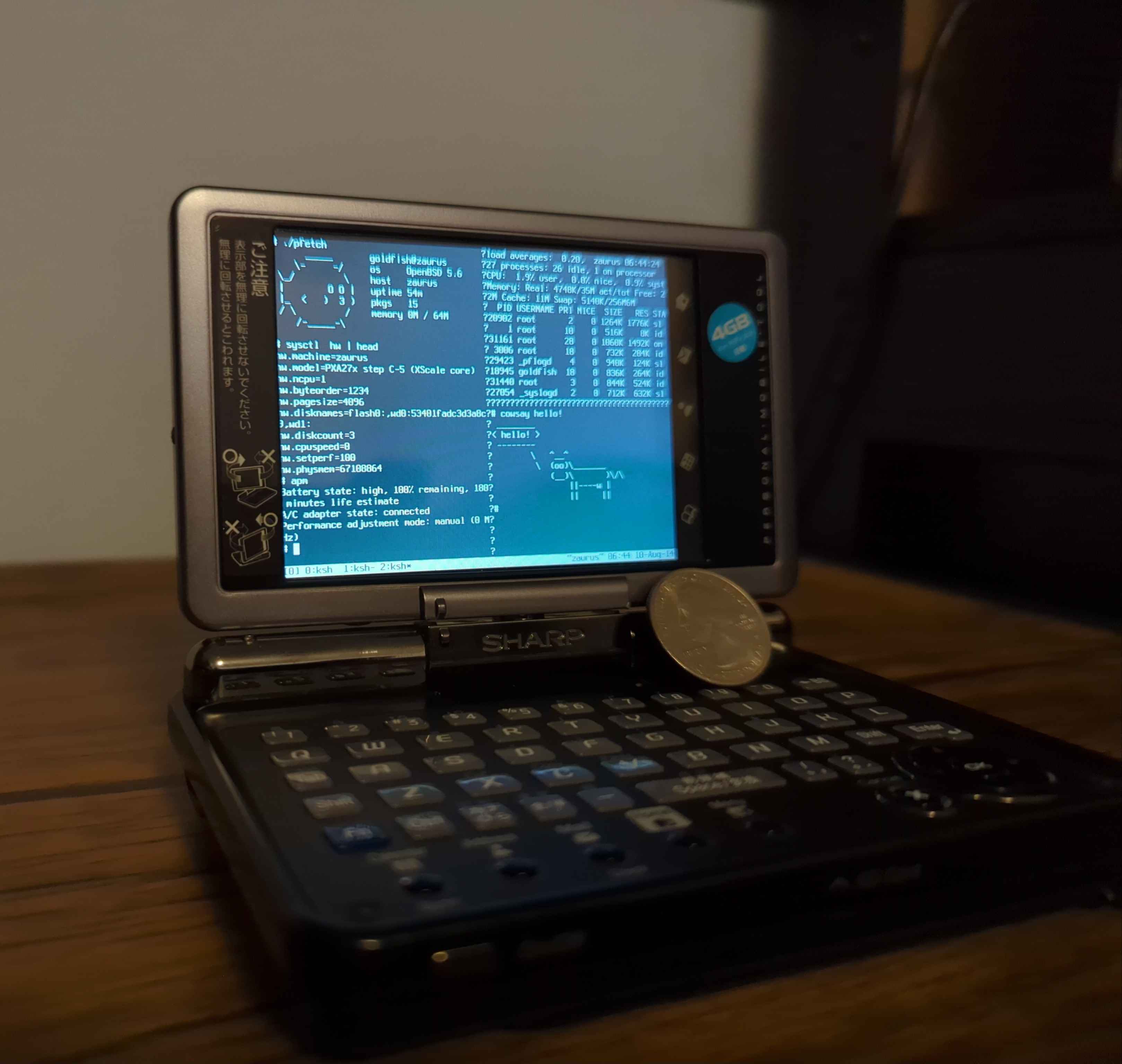
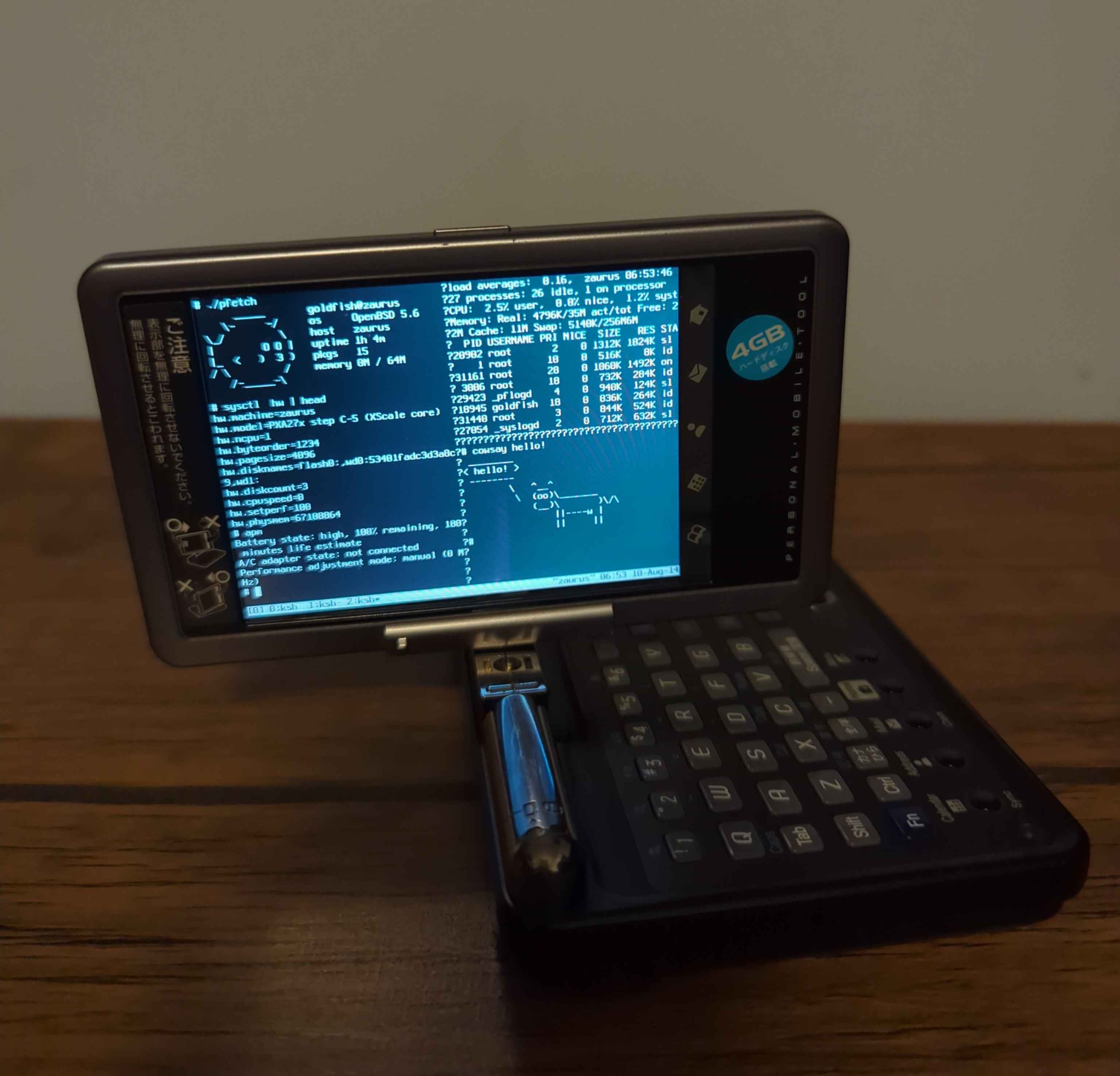
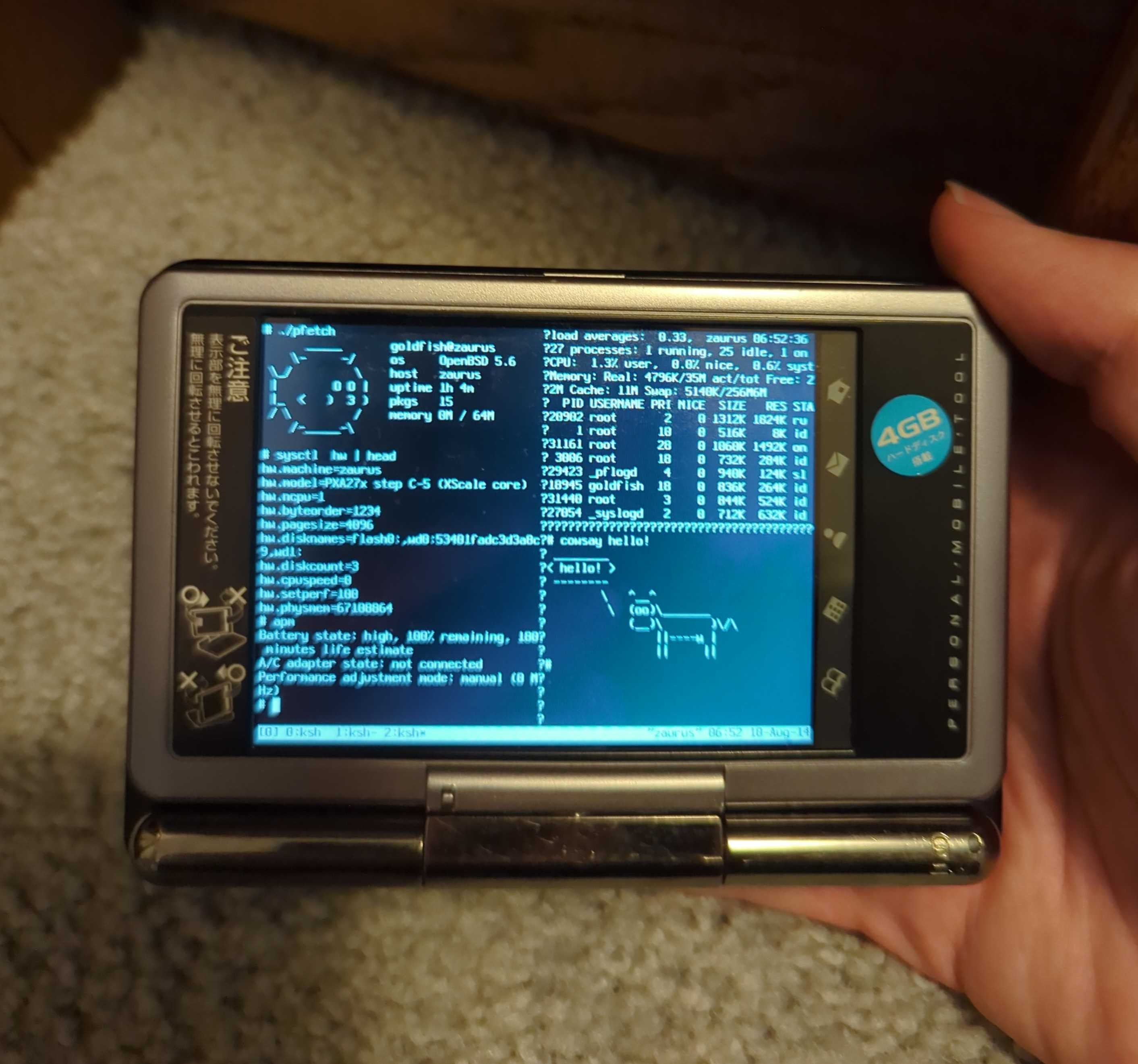
pfetch is just a bash script, so I added it to my CF card and ran it from there. neofetch also works, but it's too big to display properly on my tmux window.
Getting graphics to work
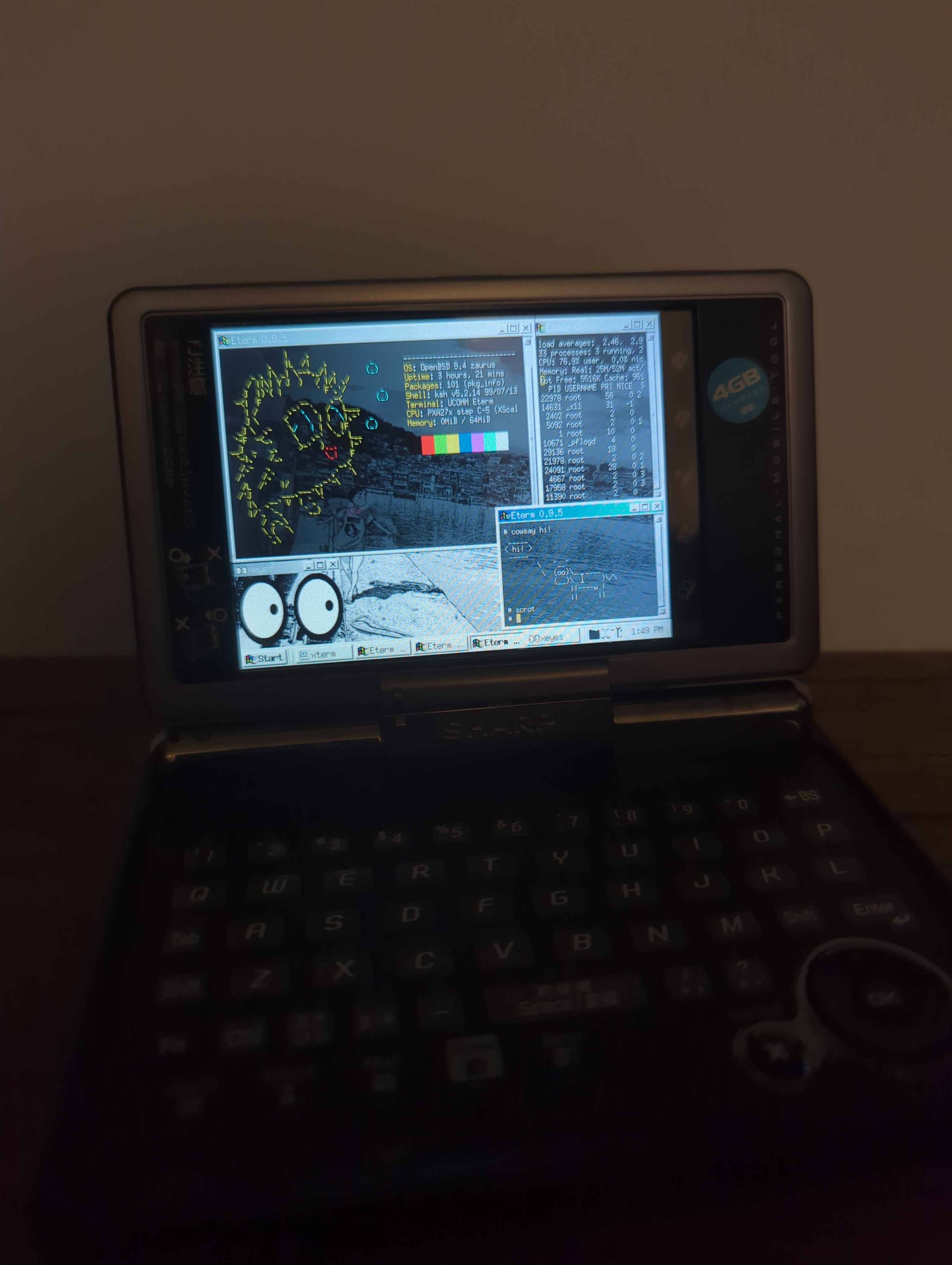
I didn't want to actually use tmux, I wanted graphics! Unfortunately, despite the docs saying "it just works", X seems to break after OpenBSD 5.4. I replaced my 5.6 install with 5.4 and it works fine. There are a good number of desktops and window managers for it. The ones that seem to work the most are qvwm, spectrwm, jwm, and ctwm. qvwm is the best for a real desktop and works fine with the stylus. spectrwm is the best for tiling. I'm thinking about creating my own DE that has real actually good touch support so that I can use the PDA as a PDA. Here are some pictures of X working:
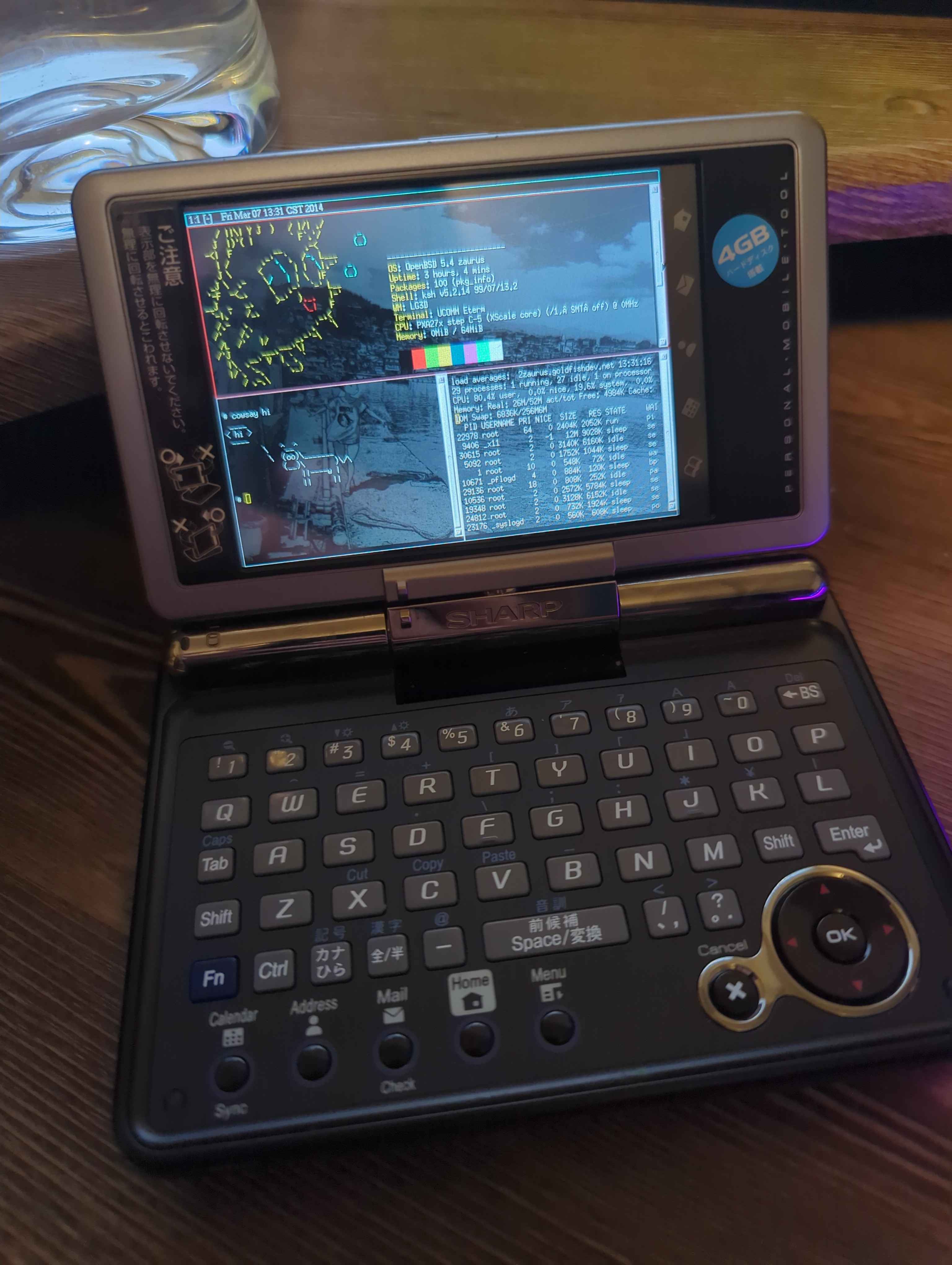
scrot for the /r/unixporn nerds:
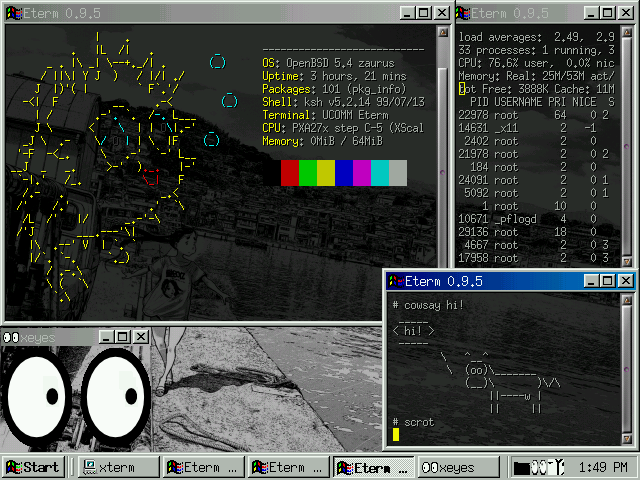
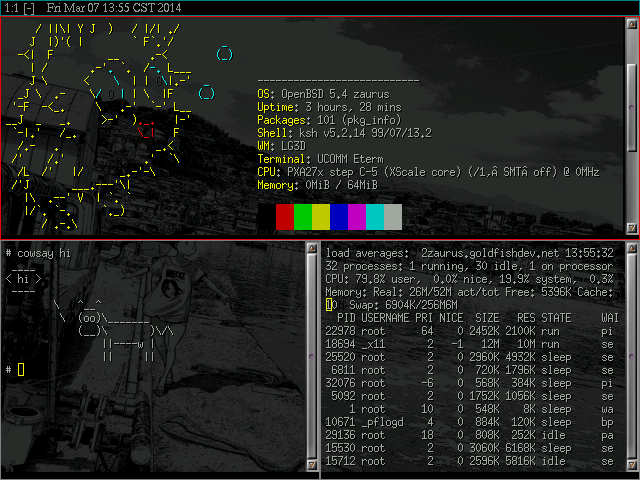
Running Eterm on spectrwm and qvwm. Using feh in .xinitrc for qvwm doesn't seem to work, so I just ran feh --set-bg after starting it.
Anyway, that's all for now. If you have any questions, feel free to email me at goldfishdeveloper (at) proton.me.
Until next time,
goldfish